AVORA brings the complete live production workflow together in a turnkey, standalone solution - combining Grass Valley quality with the flexibility of AMPP.

Everything you need to produce live. In one system.
Live Production
Overview
AVORA brings the complete live production workflow together in a turnkey, standalone solution - combining Grass Valley quality with the flexibility of AMPP.
AVORA is a packaged live production solution for teams that need to get on air quickly, operate confidently and deliver consistently high-quality results.
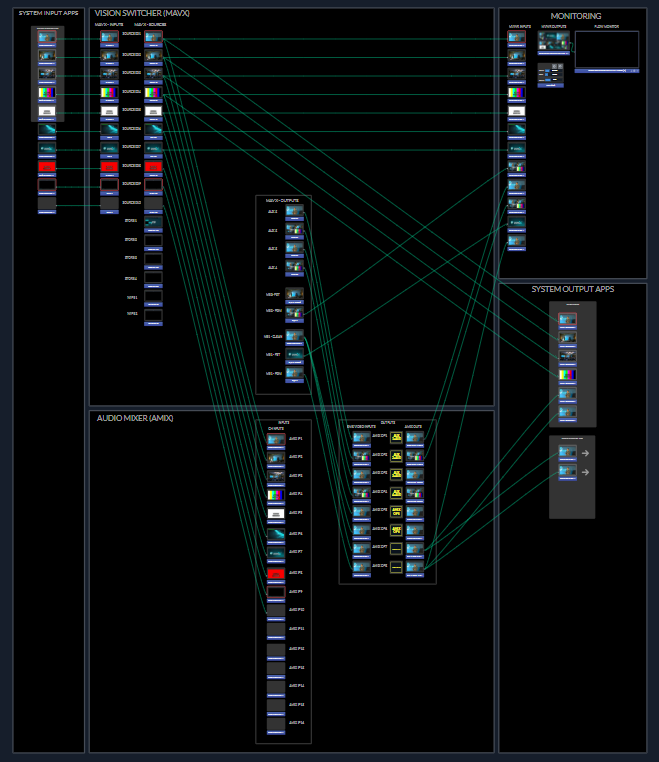
Switching, audio, graphics, replay, recording, playout, monitoring, media and remote contribution work together through a unified browser-based experience. Preconfigured show templates provide a fast starting point, while the underlying AMPP foundation gives teams room to adapt as requirements evolve.
Launch from proven show templates instead of assembling every workflow from scratch.
Bring the essential tools for live production into one consistent, intuitive experience.
Build on Grass Valley technology and the proven AMPP platform.
AVORA connects the critical stages of live production, giving operators one place to build, run, monitor and deliver a show.
Direct the show from a unified production surface.
Take control of live sources, transitions, keys and downstream elements from an interface built for real production. AVORA keeps the creative controls close and the technical complexity out of the way.

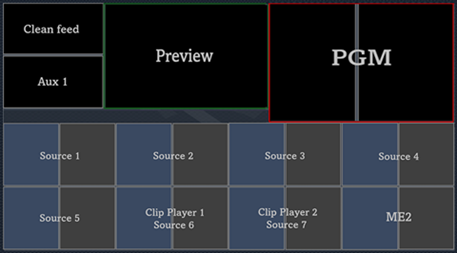
Integrated multiviewing brings sources, preview, program and audio status into a clear operational view. Flexible layouts help each production team create the monitoring environment it needs.

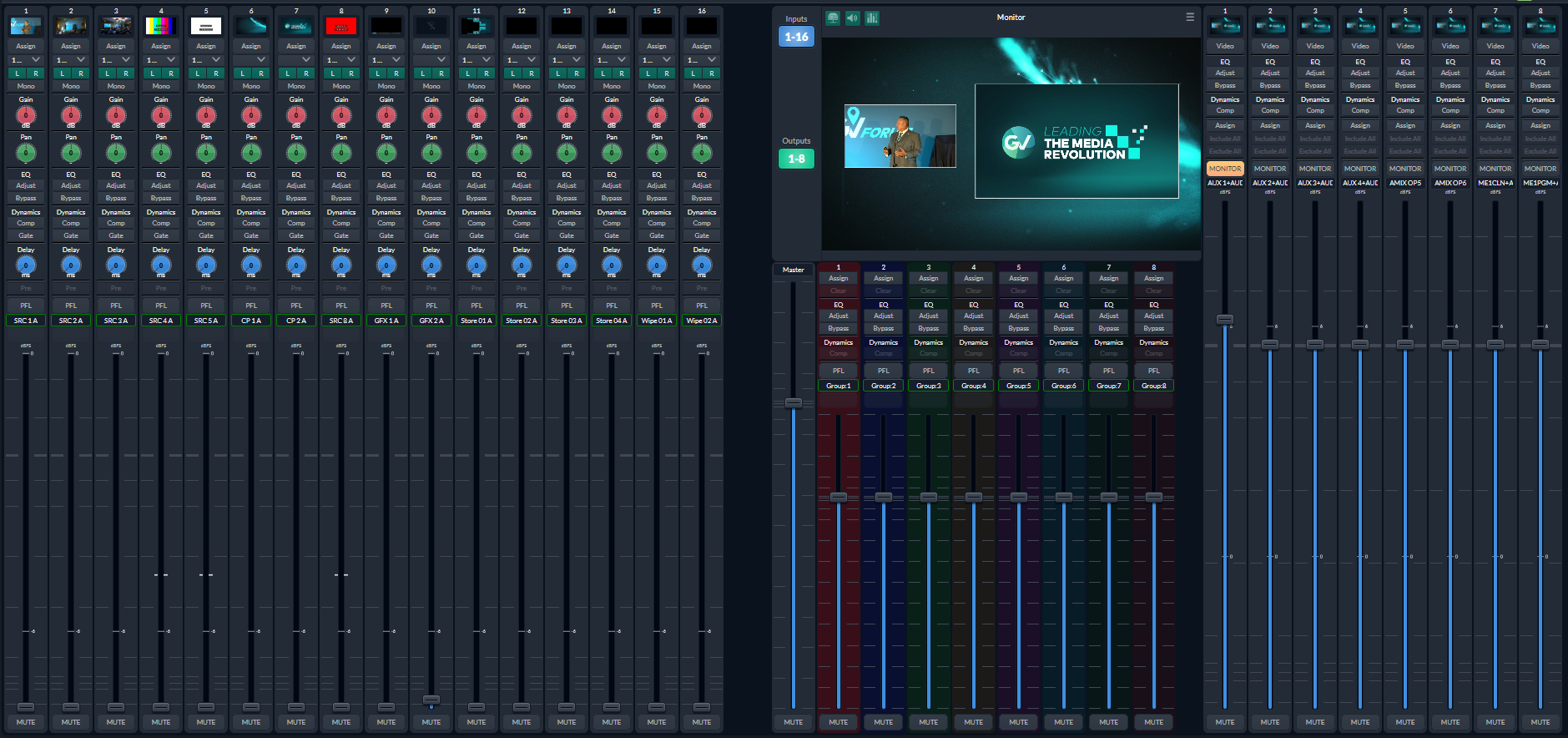
AVORA provides hands-on control of source levels, routing and the program mix without moving to a separate system. Operators can see and shape audio as part of the show—not as an isolated workflow.

Begin with a ready-to-run template for common production formats, then tailor it to the needs of the event. AVORA reduces setup time while keeping the production flexible.
Everything is designed to work together—reducing setup, simplifying operations and keeping teams focused on the content.
Control multiple sources, keys and transitions through an integrated production interface.
Build flexible monitoring layouts for sources, preview, program and operational status.
Mix source and program audio with clear metering and direct operator control.
Add branded visual elements and graphics directly into the live production workflow.
Bring recorded moments, packaged clips and media assets into the show as it happens.
Capture program outputs and manage playback without leaving the AVORA environment.
Bring presenters and guests into the production alongside local sources.
Start with preconfigured production designs or create and reuse your own.
Explore our frequently asked questions that provide further insights into essential aspects AVORA
AVORA is a professional, standalone live production. It provides the tools required to prepare, produce and deliver live content in one integrated system.
AVORA is designed for teams that want professional production capability with a simpler, more repeatable operating model. It reduces the need to assemble and manage multiple independent applications, licences and hardware devices for each show.
AVORA is designed for production teams that need professional results without the complexity of a fully distributed enterprise platform or the operational overhead of a multi-product workstation setup.
Typical users may include broadcasters, regional production teams, sports clubs, venues, corporate and enterprise media teams, education providers, government organisations, houses of worship, community media groups, live-event producers, satellite teams and managed-service providers.
AVORA brings together a broad range of live production functions, including:
- Live switching with shot-based and advanced production modes
- Media playback, image stores and clip players
- Graphics using HTML5 workflows, Singular Live and Lottie graphics
- Audio mixing, routing, monitoring and supported breakaway operation
- Remote guests with invitation links, mix-minus and talkback
- Recording, replay and event-based clip creation
- Scheduled playout and playlist operation
- Teleprompter and voice-assisted scripting workflows
- Configurable multiviewers and source monitoring
- NDI, SRT, RTMP/RTMPS and supported SDI input and output workflows
AVORA is designed as a local-first, self-hosted production solution. When deployed on approved local compute, the production environment can operate on-site without depending on a permanent public-cloud connection.
This approach can be valuable for venues, regional sites and security-sensitive environments, or wherever connectivity needs to be controlled. Online services such as account management, documentation and support are separate from the local production control experience.
Yes. AVORA uses browser-based HTML5 interfaces, allowing multiple authorised users to work concurrently from separate browser sessions.
Vision, audio, graphics, prompting, replay, playout and engineering users can access the parts of the production relevant to their roles. Profiles and permissions help control access to live operation, show preparation, administration and system functions.
Yes. Remote contributors can join through private, time-limited invitation links. Their picture and sound can be brought into the show, with production communication supported through talkback, intercom and mix-minus workflows.
Remote contribution is integrated into the production environment rather than requiring a separate conferencing workflow to be managed alongside the show.
AVORA is designed for local, self-hosted operation on approved Grass Valley turnkey compute. The packaged system includes the application environment and the production services required to prepare and operate shows.
AVORA may also be offered as a defined workload within an AMPP environment where that deployment is validated and commercially supported.
AVORA is a standalone Grass Valley solution. Customers do not need an AMPP deployment to use a standalone AVORA system.
AVORA is built on the founding principles and technology of GV AMPP, giving the products a shared technology foundation.
AVORA should be compared with the customer’s complete production workflow rather than with the price or feature count of an individual software licence.
Workstation-based tools may remain appropriate for highly do-it-yourself, low-cost or single-operator workflows. AVORA is designed for teams that value professional consolidation, show-based repeatability, multi-user browser operation, integrated production functions, local resilience and a defined Grass Valley product and support model.
The evaluation should consider workstations, licences, integrations, support dependencies, engineering time, failure points and the effort required to rebuild recurring productions.
At launch AVORA is offered as a packaged solution comprising turnkey compute and the AVORA application. The commercial model includes an upfront cost for the hardware system together with an annual subscription agreement for the application. Other models may follow in 2027.
Availability, packaging and commercial terms may vary by region and partner. Authorized Grass Valley partners may also provide deployment, training, integration or managed services.

Visit the AVORA portal for user guides, FAQs, technical references and supporting resources. The full portal will be available soon


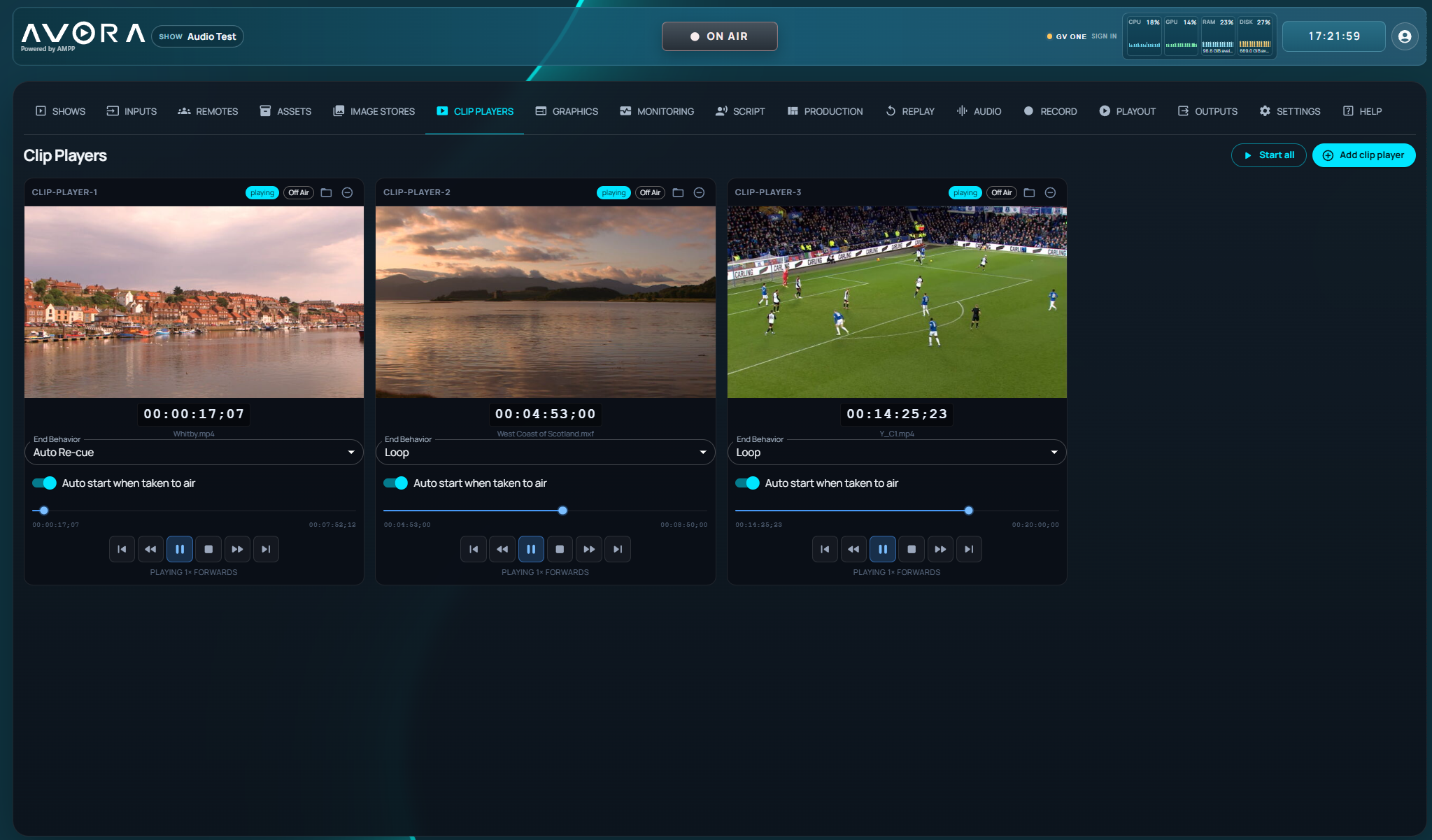


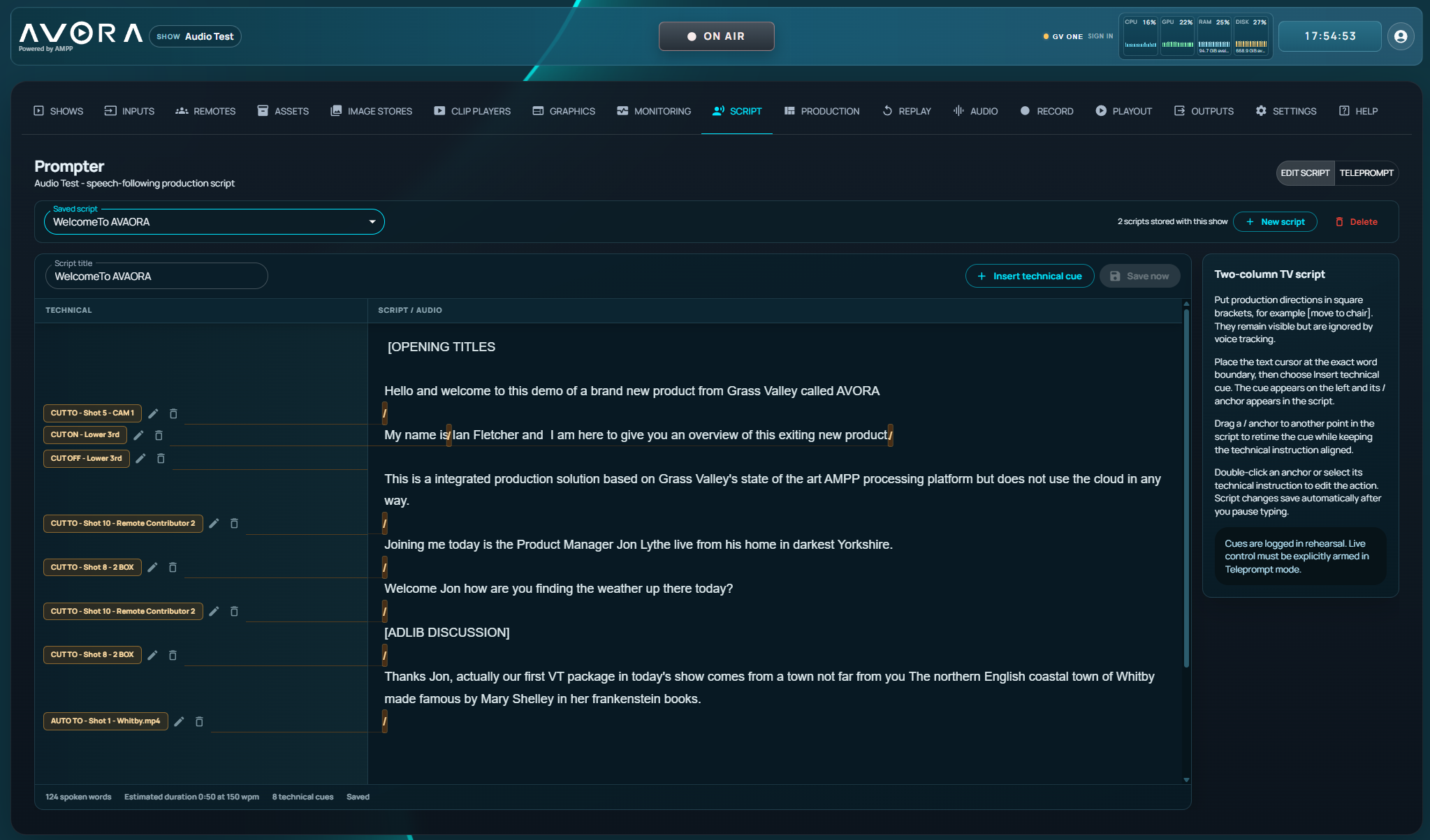


Talk to Grass Valley about how AVORA can help your team launch faster, operate more simply and produce with confidence.


Densité X is the virtualized evolution of Grass Valley’s trusted Densité family, engineered for modern operations that demand flexibility, integrity and real-time performance. Running on AMPP OS, it brings the full depth of professional signal processing into software defined environments where location should never limit capability. With Densité X, every operation can run the processing it needs exactly where it needs it across on-prem, private cloud, public cloud or GV Hosted deployments and scale instantly with your demands and without compromise.
Signal processing sits at the heart of the operation, whether signals originate in SDI, IP or cloud native workflows. Grass Valley’s Densité family has proven its excellence and reliability for decades. Densité X continues that legacy while extending it into virtualized and distributed operations. It carries the same focus on integrity, precision and operational freedom that made the original Densité family trusted worldwide. The difference is that Densité X removes physical limitations and lets you deploy professional processing wherever your operation needs it.
Modern operations increasingly span multiple locations, data centers and cloud regions. Signals need to be managed where they flow, not where hardware happens to sit. Traditional fixed frame processing is still essential for many SDI- and IP-driven facilities, but today’s hybrid environments require agility.
Densité X is designed for those moments. When you need scalable processing, when signals enter or leave IP domains, when you build pop up control rooms, when events spike your technical load or when you want low latency tools deployed at the edge without building new infrastructure.
Densité X is the Densité DNA, virtualized for an operation that never stands still ang brings you further.
| Requirement | Densité Hardware | Densité X |
|---|---|---|
| Performance | Deterministic, local, low latency | Deterministic performance across edge and cloud, low latency |
| Signal Domain | SDI native, SMPTE 2022-6, SMPTE 2110, DVB ASI and 2022-1/2/3 | SMPTE 2110, SRT, NDI, RTMP, AMPP Streaming, H.264, H.265 |
| Scalability | Card by card, Frame by frame | Elastic and unlimited |
| Deployment | In facility | On Prem, Cloud, Hybrid, GV Hosted |
| Cost Model | CAPEX cards and feature options | OPEX, on demand usage |
| Best Fit | Central facilities, fixed routing and flight packs | Distributed, hybrid, pop up, Cloud-native and scalable workflows |
Densité X allows you to place processing exactly where it delivers the most value. It runs on AMPP Edge for on prem scenarios, in private or public cloud compute for distributed workflows and on GV Hosted for hosted capacity when timelines demand it. Instead of forcing operators to work around infrastructure, it aligns to the way people actually run productions. This allows teams to experiment, adapt and scale without redesigning their core routing or compute environment.
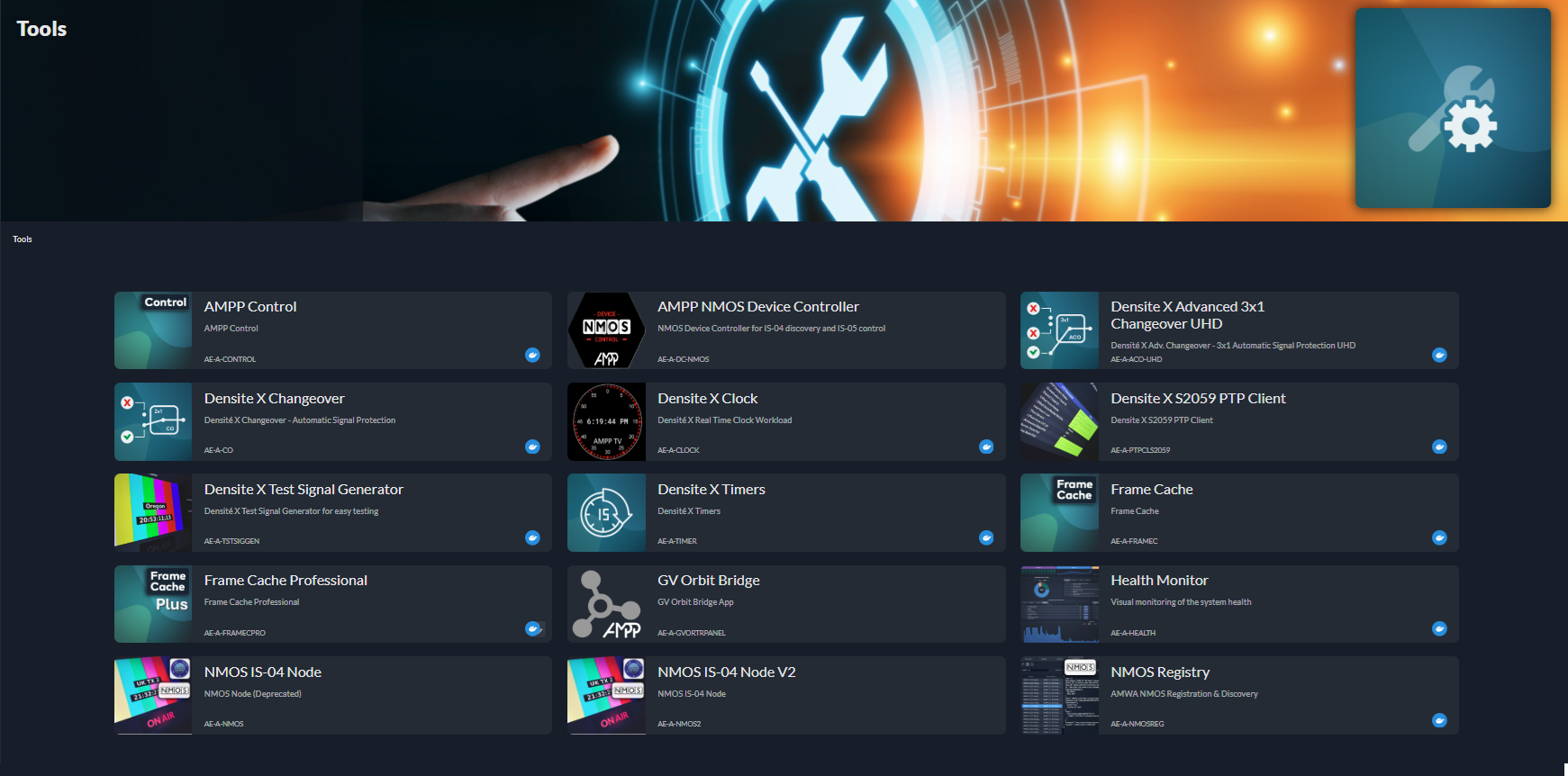
Grass Valley built Densité X on the principles that defined the Densité line: signal correctness, format flexibility and predictable performance. Every application maintains deterministic behavior even in decentralized environments, ensuring accurate switching, precision keying, format aware muxing and reliable timing. Engineers do not sacrifice the professional expectations they have built over years of Densité use. They simply gain deployment flexibility and dynamic capacity.
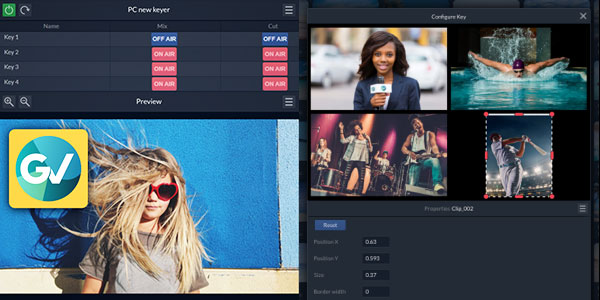
Processing needs are highly uneven across live events, pop up studios and remote workflows. Densité X offers the agility to scale capacity instantly, using pay as you go models and flexible deployment locations. This reduces idle hardware, prevents over provisioning and ensures that operational teams always have the right tools available for the workload at hand. It is a direct extension of Grass Valley’s strategy to give customers economic control without compromising quality, reliability or creative intent.
Many facilities want the agility of virtualized processing yet cannot redesign their entire infrastructure to get there. Signals still move through SDI islands, legacy IP domains or fixed routing layers that were never built for software defined workflows. The ACE-3901-GRID solves this by acting as a universal gateway inside the Densité family. GRID converts and routes signals between SDI, creating a flexible access layer that exposes your existing operation to the power of AMPP OS based applications. It lets you introduce Densité X processing without disrupting your current plant so virtualized tools become an incremental extension rather than a replacement. With ACE-3901-GRID in place, your operation gains immediate interoperability, gradual migration options and a future proof path to expand with other AMPP OS capabilities whenever the workflow demands it.

Runs on AMPP OS with elastic deployment across edge, private cloud, public cloud and GV Hosted environments
Provides a complete set of signal processing tools including switching, keying, muxing, delay, monitoring and timing
Delivers deterministic performance in HD and UHD so engineers can trust signal behaviour in any operational setup
Uses Dynamic Device Replacement, with GV Orbit orchestration, to self heal when hardware becomes unavailable
Supports unpredictable production demands so operators always have the right tool in their toolbox at the moment they need it
Eliminates the need for dedicated spare modules because AMPP OS resources can take any shape required by the workflow
Structured as modular applications so teams only use and activate what their workflow requires
The processing applications for Densité X offer various solutions in the total production chain.
Signal processing defines the visual and auditory quality of your production. Clean switching, precise keying and reliable muxing ensure that every signal is shaped correctly before it reaches routers, switchers or distribution paths. These functions give operators confidence that pictures and audio will behave exactly as expected even in complex or fast changing environments. With Densité X, processing becomes location independent which allows teams to apply high quality processing in a distributed or hybrid workflow.
| Application | Input/Layer Variants | Key Capabilities |
|---|---|---|
| Up/Down/Cross(UDC) | 1 Input, 2 Outputs - 2nd Output optional | Video and metadata processing |
| Audio Processing | 1 Audio Flow Input , 2 Audio Flow Outputs - 2nd Output optional | Audio flow processing |
| Audio DownMix (5.1 to Stereo) | 6 Channel Mixer | Audio flow mixing |
| Clean Cut | 2,4,8 Inputs | Seamless switching with deterministic timing |
| UHD Clean Cut | 2,4,8 Inputs | Clean UHD switching for multi feed workflows |
| Single Layer Keyer | 1 Layer | Precise HD keying for overlays |
| 4 Layer Keyer | 4 Layers | Multi layer HD keying for complex compositions |
| Single Layer UHD Keyer | 1 Layer | UHD precision keying |
| 4 Layer UHD Keyer | 4 Layers | UHD multi layer keying |
| AV Mux | N/A | Audio, video and metadata muxing |
| CC Mux | N/A | Closed caption muxing |
Protection switching is the safety net of live production. These tools guarantee continuous output even when a primary feed fails, allowing operators to switch sources without visible or audible disruption. For end users this delivers peace of mind because the system responds instantly to problems without introducing visual artifacts. Densité X brings this resilience into virtualized environments so redundancy logic is no longer tied to hardware availability.
| Application | Input | Key Capabilities |
|---|---|---|
| Changeover: 2x1 redundancy switching | 2 Inputs | UHD aware redundancy switching |
| Advanced 3x1 Changeover UHD: 3×1 redundant clean switching with video/audio error monitoring and failover prioritization rules. | 3 Inputs | UHD aware redundancy switching |
Small timing adjustments often prevent major operational issues. Delays compensate for path differences, synchronize distributed sources or create controlled program offsets. Timing tools help operators align signals so everything arrives in the right order, which is critical in cloud and hybrid architectures. With Densité X, these timing functions can be placed at the edge or in the cloud so synchronization becomes part of the workflow rather than a constraint imposed by infrastructure.
| Application | Key Capabilities |
|---|---|
| Densité X Delay | Frame accurate delay insertion |
These tools give operators practical control over timing, reference patterns and synchronization. Test signals help validate new paths, clocks and timers support operational coordination and the PTP client ensures alignment across distributed systems. For end users these functions make workflows cleaner and easier to manage by removing friction during setup, testing and live execution. In Densité X, these tools remain available everywhere without requiring dedicated hardware.
| Application | Key Capabilities |
|---|---|
| Test Signal Generator | Reference test patterns |
| Clock | Accurate clock outputs |
| Timers | Countdown and timing utilities |
| S2059 PTP Client | PTP alignment for hybrid workflows |
| VideoScope | Waveform and vectorscope monitoring |
| VideoScope Monitor | Multiview waveform and signal analysis |
Playback and recording functions support simple content workflows without relying on large servers or asset systems. Operators can roll clips, record feeds and create quick turnarounds directly inside the processing layer. This reduces operational overhead and speeds up reaction time during live events. With Densité X, these capabilities can be deployed on demand in any environment which offers flexibility for pop up productions and distributed teams.
| Application | Key Capabilities |
|---|---|
| Clip Player HD | Fast playback for live workflows |
| Clip List Player HD | Managed playback lists |
| Clip Recorder HD | Live signal recording |
Channel guide mosaics and multi feed compositions play a crucial role in distribution workflows. They give viewers a complete overview of available channels or feeds in a single output and make navigation easy. Densité X Mosaic brings this capability into virtualized environments by allowing operators to combine multiple live inputs, position them as PiPs or boxes and enrich the output with HTML based overlay
| Application | Input | Key Capabilities |
|---|---|---|
| Densité X Mosaic | 4 Inputs | Multiple PiPs with individual scalers and positioners, HTML overlay support |
| Densité X Mosaic | 8 Inputs | High density channel guide mosaic with PiPs, scalers, positioners and HTML overlays |
Densite X extends Densite trusted signal processing into software applications on AMPP OS
Audio Processing App is a streamlined interface for configuring multichannel audio processing, signal routing, and audio transformation workflows. It provides an intuitive workspace for managing audio streams, format conversions, and processing chains in real time.
Audio DownMix 5.1 to 2.0 Stereo App provides seamless conversion of 5.1 surround audio into high-quality stereo output, ensuring optimal compatibility for stereo playback environments while preserving audio clarity and balance.
Up/Down/Cross Processing App is a streamlined interface for configuring real-time video synchronisation, format conversion, image processing, and associated metadata handling. It supports a single video input with a permanently available primary output and an optional secondary output within a focused, signal-flow-based workspace.

Production Replay X is a modern replay and highlights system built entirely on AMPP OS, Grass Valley’s agile media processing platform. It combines file-based ingest, playout, and editorial workflows into a single environment, letting teams collaborate in real time from anywhere. With tight integration into Framelight X and built-in AI capabilities like Flow Motion, Production Replay X gives storytellers more impact, operators more flexibility, and businesses more agility to scale and innovate without compromise
Production Replay X is not just a replay server. It is a file-based production hub that merges replay, playout, and editorial into one seamless workflow. Operators, editors, and producers work in the same environment, saving time and unlocking new ways to tell stories as the action unfolds.
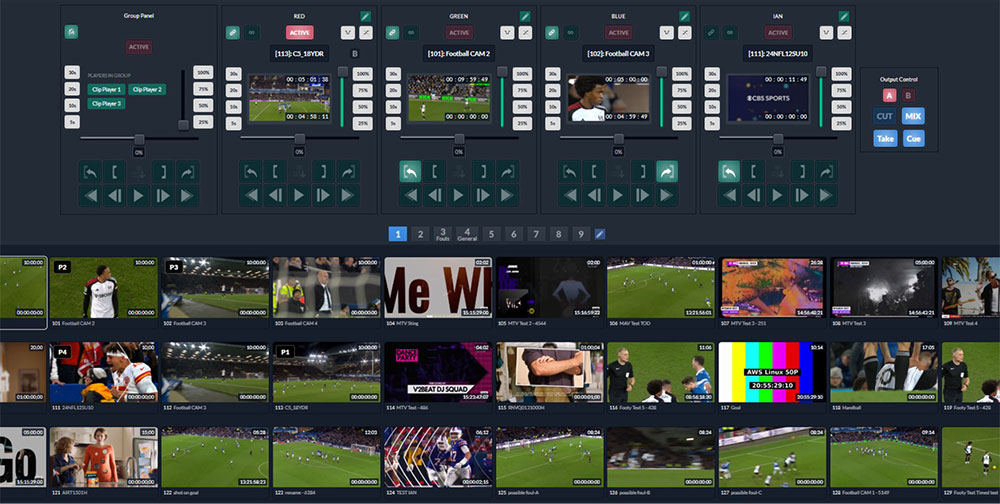
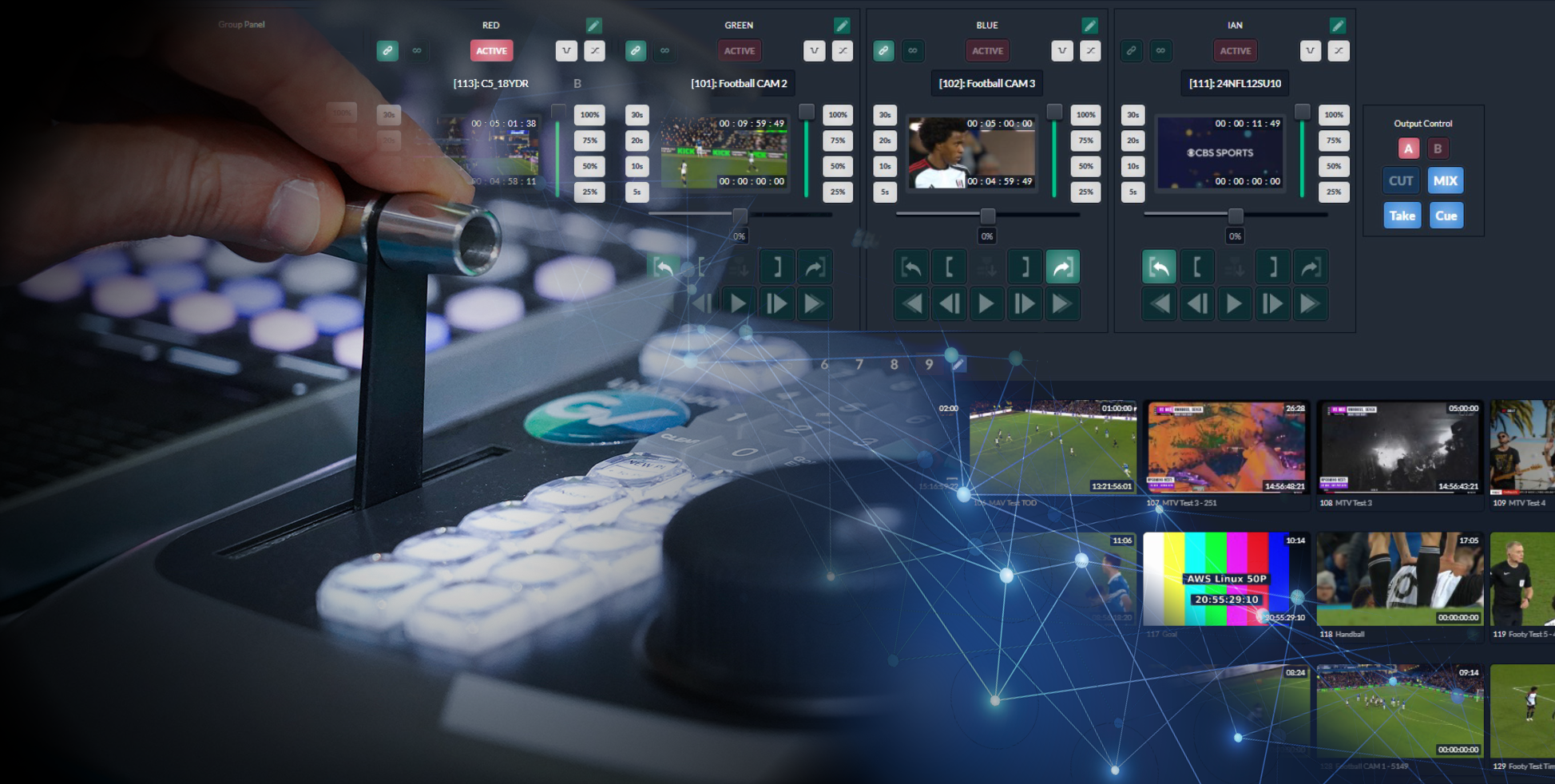
From the TD in the control room to the highlights operator at home and the social media producer in another city, everyone sees the same media in real time. Browser-based access means no extra installations, no silos, and no duplicated files. It is teamwork made simple, regardless of geography.
With Flow Motion built right into AMPP OS, Production Replay X adds AI-driven super slow motion to any clip. Operators can slow down the decisive moment, emphasize the celebration, or dramatize the turning point, all within minutes. Because the model runs inside your AMPP environment, you keep full ownership of content and metadata.
Production Replay X scales as easily as your production does. Add ingest channels, operators, or editing resources when you need them and pay only for what you use. Whether on-premises, in the cloud, or hybrid, it adapts to the real-world demands of modern media production.
Ingest UHD, HDR, and SDR across SDI, ST 2110, NDI, SRT, and more.
No duplication - markers and edits flow instantly to Framelight X.
Browser-based access unites control rooms, remote teams, and social media.
Native LiveTouch panel integration for tactile operator workflows.
Flow Motion AI delivers cinematic replays without extra hardware.
Elastic scaling, hybrid deployment, and AMPP OS integration ensure adaptability.
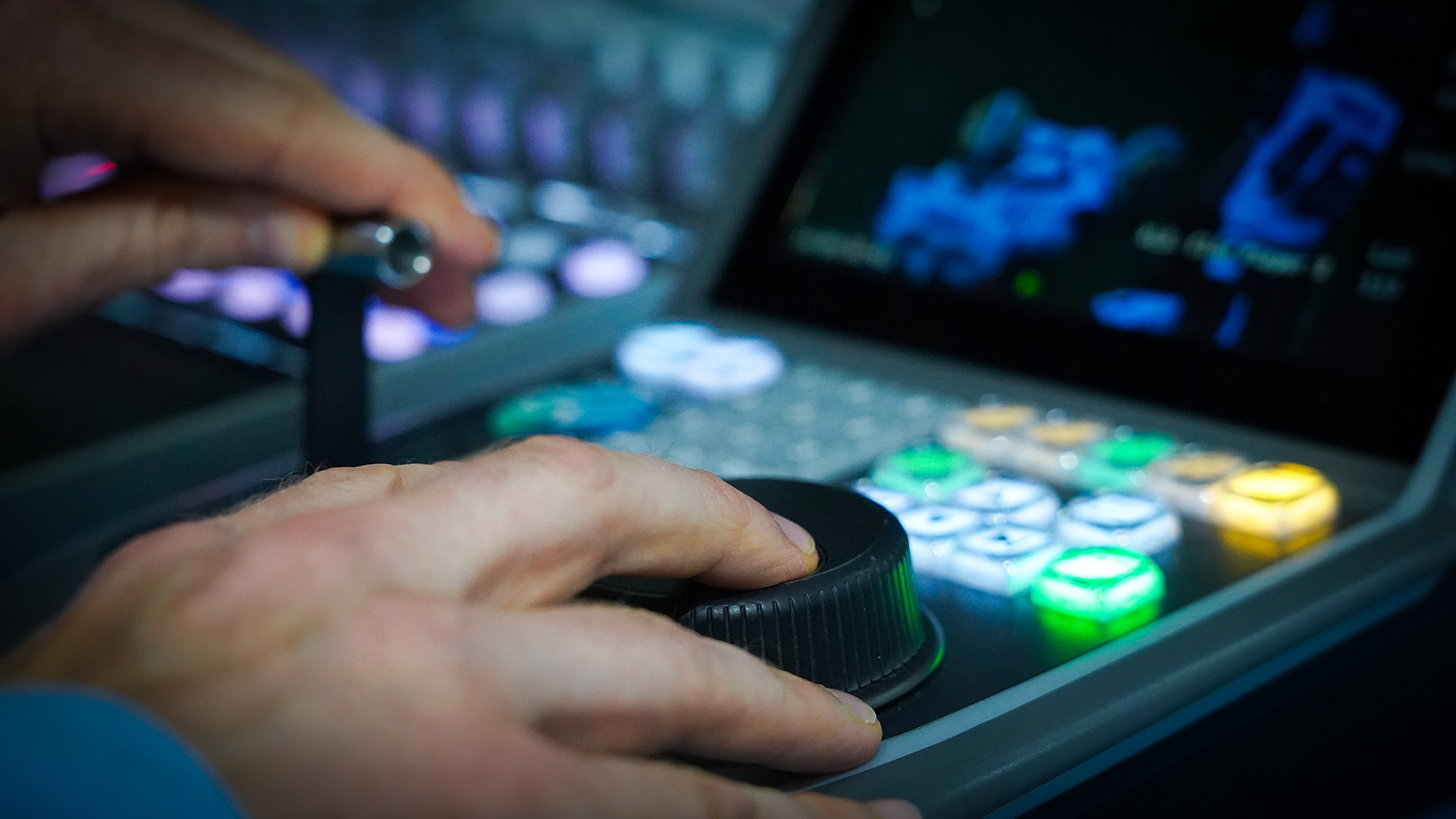
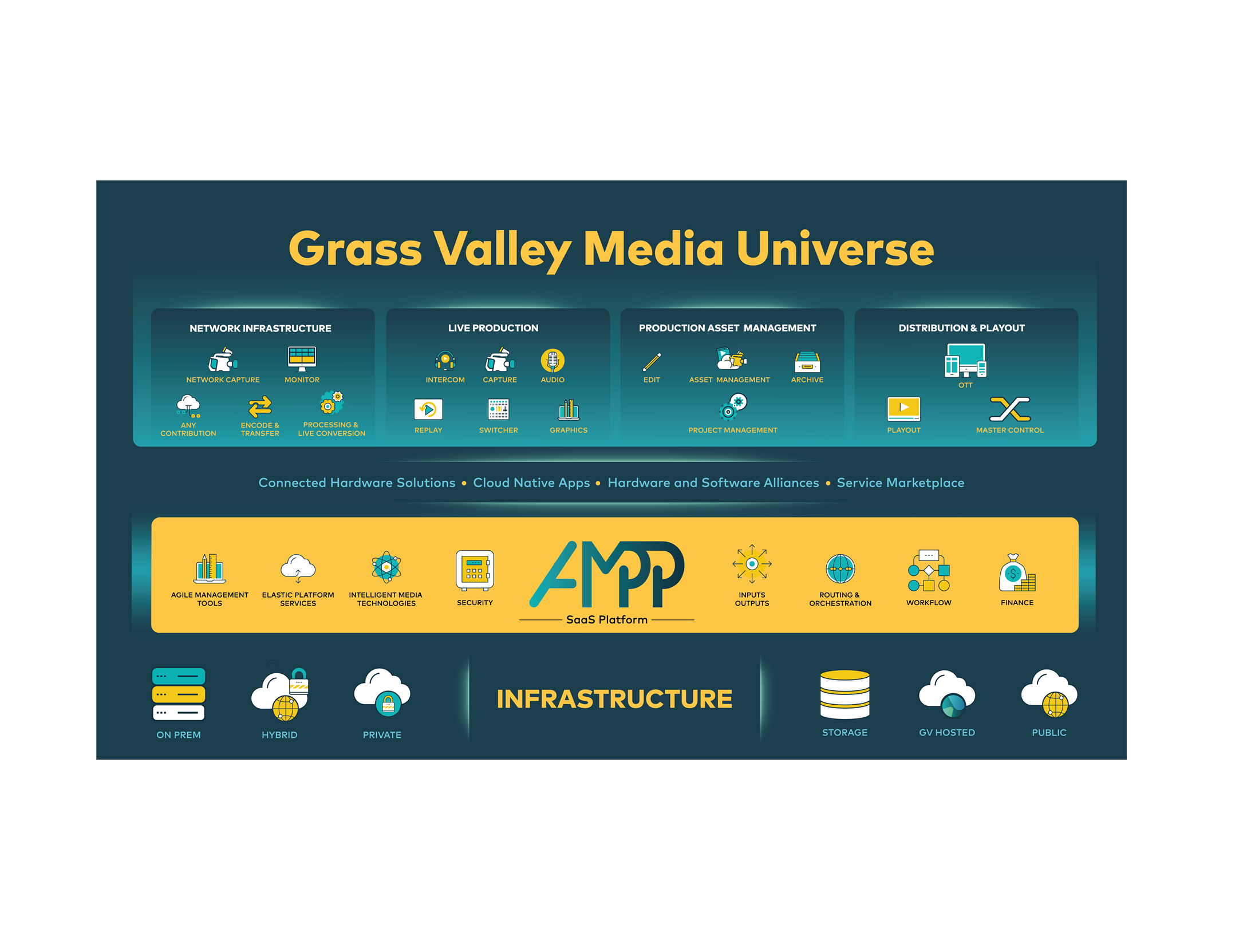
Built natively on AMPP OS, Production Replay X benefits from the entire GV Media Universe ecosystem. That means orchestration, automation, monitoring, and third-party integrations are already there. You are not buying a single replay box, you are joining a platform designed to evolve with you.

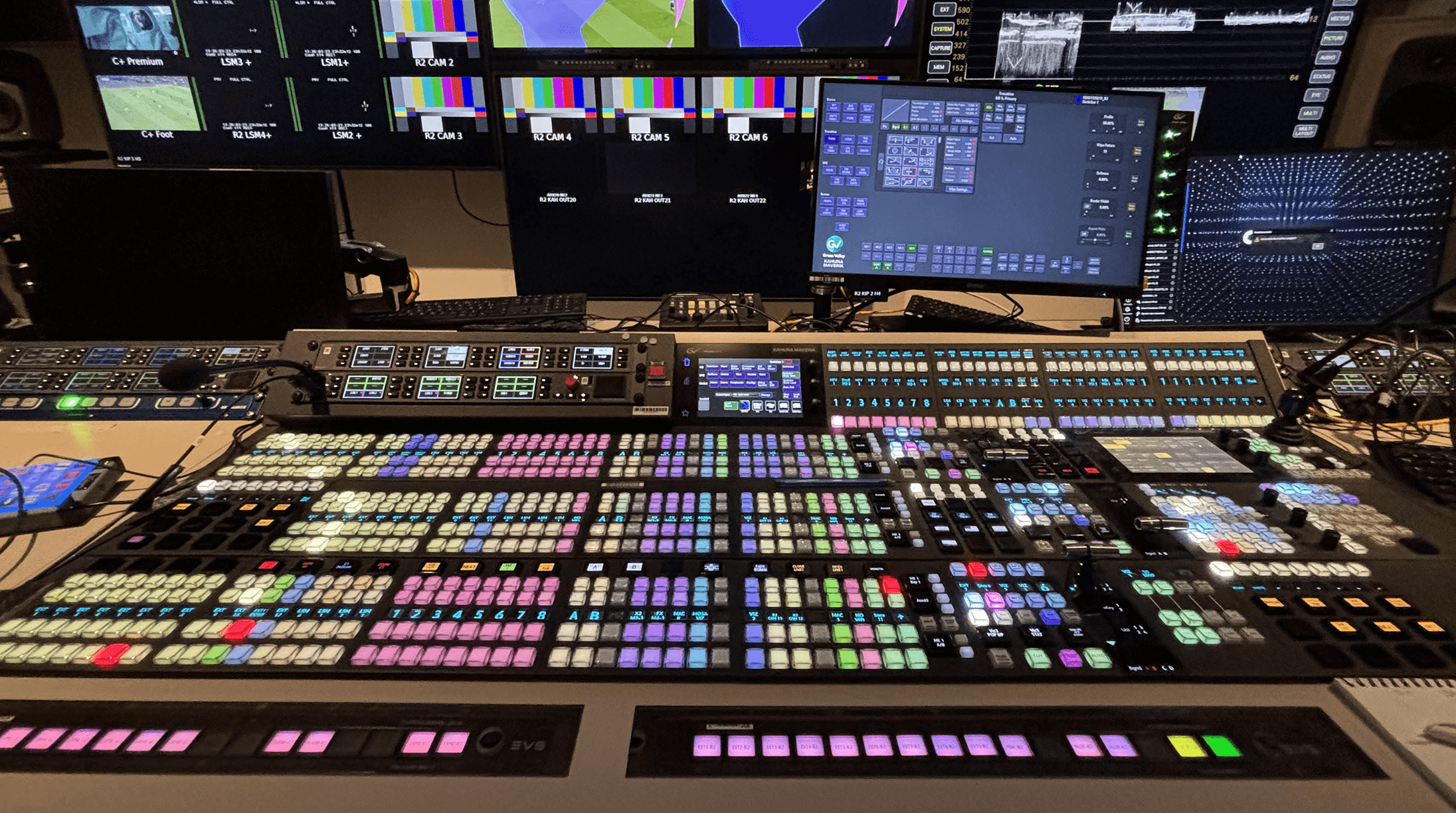
Maverik is the modular control surface for Grass Valley® that gives you complete freedom to design the panel you need, then reconfigure it for the next production. From sports and news to entertainment or houses of worship, its Mav modules and MavRow racking system let you build layouts that maximize functionality in minimal space, with no fixed desk constraints and no compromises.
Clean, clear, and confident to operate, Maverik delivers space and cost savings while tapping the full power of AMPP. And with the Kahuna Maverik Configurator, you can visualize and plan your perfect panel before you go live.
Design and reconfigure your control surface exactly how you need it, with layouts that adapt show by show.
Easily create and manage multiple production areas while accessing the full power of AMPP in any layout size.
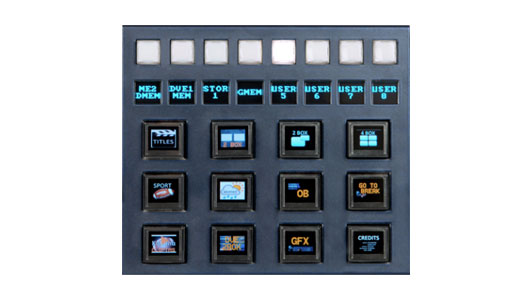
Crystal-clear OLED buttons with user-assignable thumbnails make it easy to personalize and recognize functions instantly.
High-resolution user buttons ensure quick setup and confident switching.
Compact, modular design delivers full capability without compromise, perfect for studios or mobile production.
Engineered for reliability and easy servicing, Maverik is ready for the demands of live production.
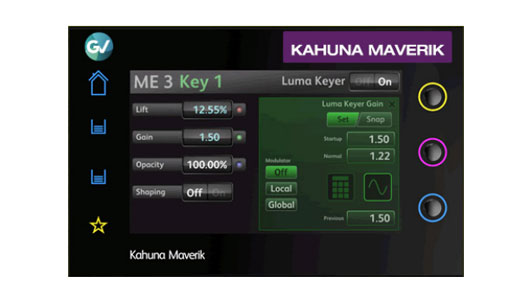
Configure your entire panel with easy touchscreen navigation and selectable preferences to create your complex effects fast and with ease. Choose your own shortcut hotkeys for even faster operations.
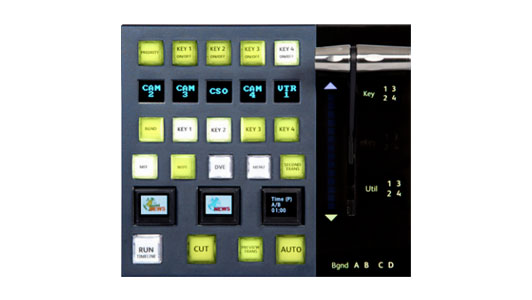
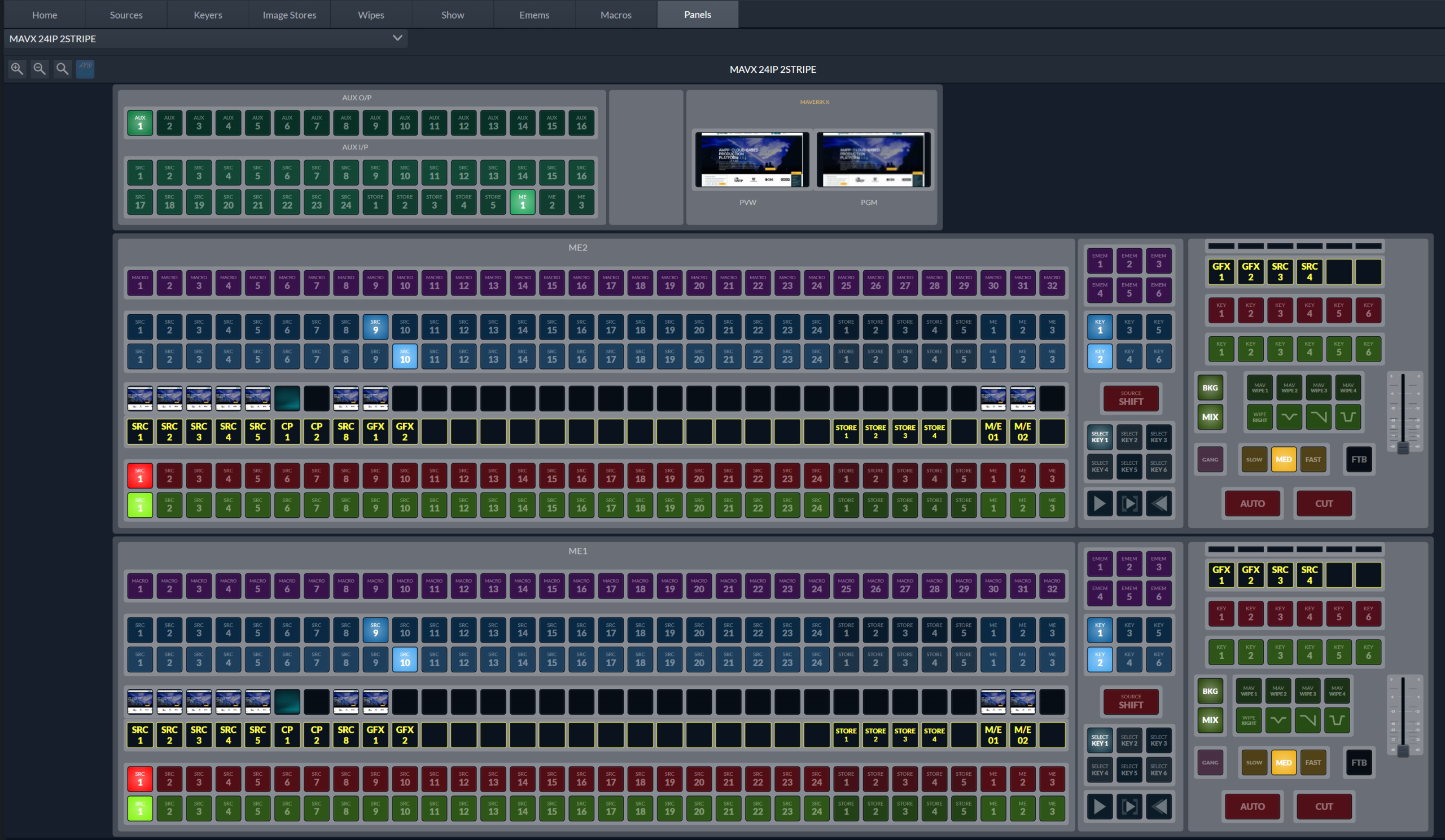
The Mav Trans module gives you easy smooth transitions of backgrounds with identification direction light. Take your keys to air with the T-bar or use the independent key transitions or simply use your hot keys to add or remove key layers promptly. The Mav Trans also gives you three OLED buttons to assign
any effect you need.
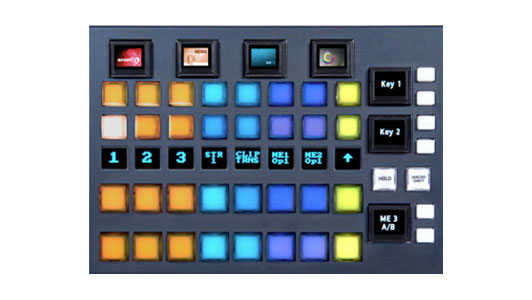
The same crosspoint Mav module as the Mav 8Xpt del FS but with the additional OLED buttons, to give you full control of macros, memory recall and effects. High-quality crystal OLED displays for bespoke graphical identification.
A crosspoint Mav module built in 8 button sets for ergonomic operations. Select any backgrounds, keyers or auxes via the push buttons to access all your resources quickly.
A powerful Mav module that gives you access to all of your M/Es which gives you the possibility of designing any size panel.
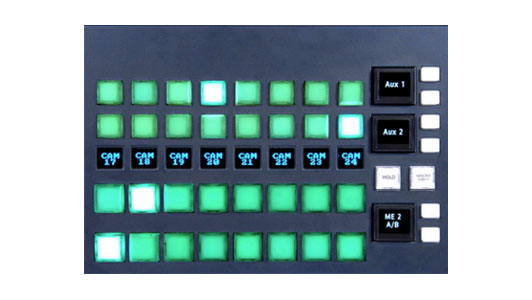
8 crosspoint Mav module select as above but with the addition of the crystal clear OLED buttons across the top of each Mav for instant access to macros, memories and effects.

8 crosspoint Mav module selector, to access any of your sources and feeds with confidence. Identify each source with up to 4 lines of characters. Connect as many Mav 8xpt FS modules as you desire, there are no limits.
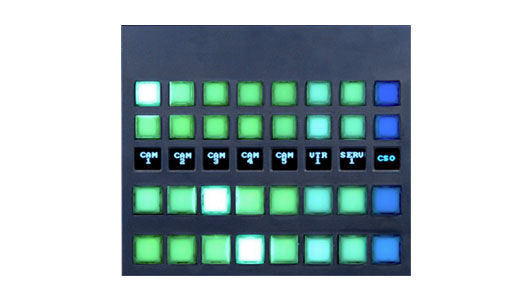
Include a Mav Aux module to your Maverik for dedicated & confident control of aux bus switching with three levels of mnemonics showing source name, aux bus name and the switched source, perfect for in-vision productions.
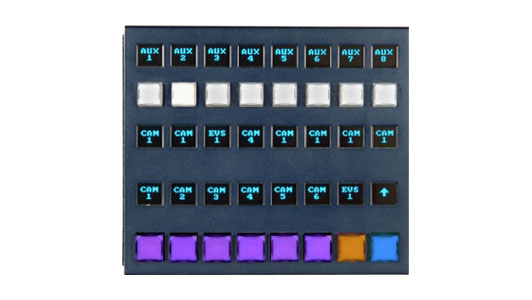
The Mav DSK module gives operators instant access to the DSKs on the assigned M/E. It allows for fast operations to take and remove keys off and on air.
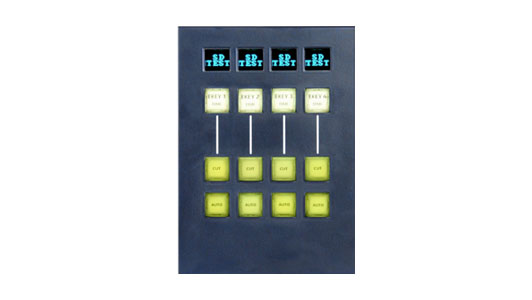
Design and manipulate effects on key layers fast with the Mav Keyer module. Resize your keys, build effects, change their priority layers with an easy to reach selection Mav tool.
It is the perfect direct and accurate key parameter control for any M/E keyer delegated to the keyer Mav

The Mav Joystick can be used for multiple functions, whether you’re resizing key effects, moving keyers, creating timelines, or even adjusting camera heads.
The Mav Joy can be used across the Maverik panel for any M/E, giving the operator easy access for simple operations
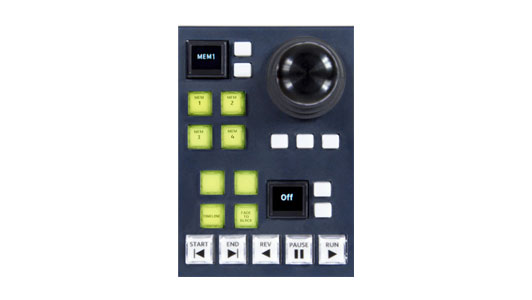
Whether you need to save memories such as Dmems and Gmems or recall them, manipulate resize parameters for key layers, the Mav Keypad is an easy to access number pad, making operations fast and effective

A powerful module giving you multiple layers of macros for any type of memory recall, macro activation, clip/store load, or even operational commands.
The User Function Pad Mav module can be assigned and designated any way you want for your production.
Extend the control of the Audio Mixer to a single control point with the production switcher in the control room using the Mav Audio Fader.
This Mav module can be placed anywhere within a desired Maverik control surface. Fitted with motorized faders, the Mav Audio Fader works with memories as well as normal audio operation control.

Customize your production easily and take your visuals to air fast and immediate with the MAV-AUTO module. It has been designed to make operations easy and fast with customizable full color OLED macro buttons and a source selection row.
The MAV-AUTO module is the perfect solution for automated productions or even as a large shotbox function to trigger any combination of effects when you need them.



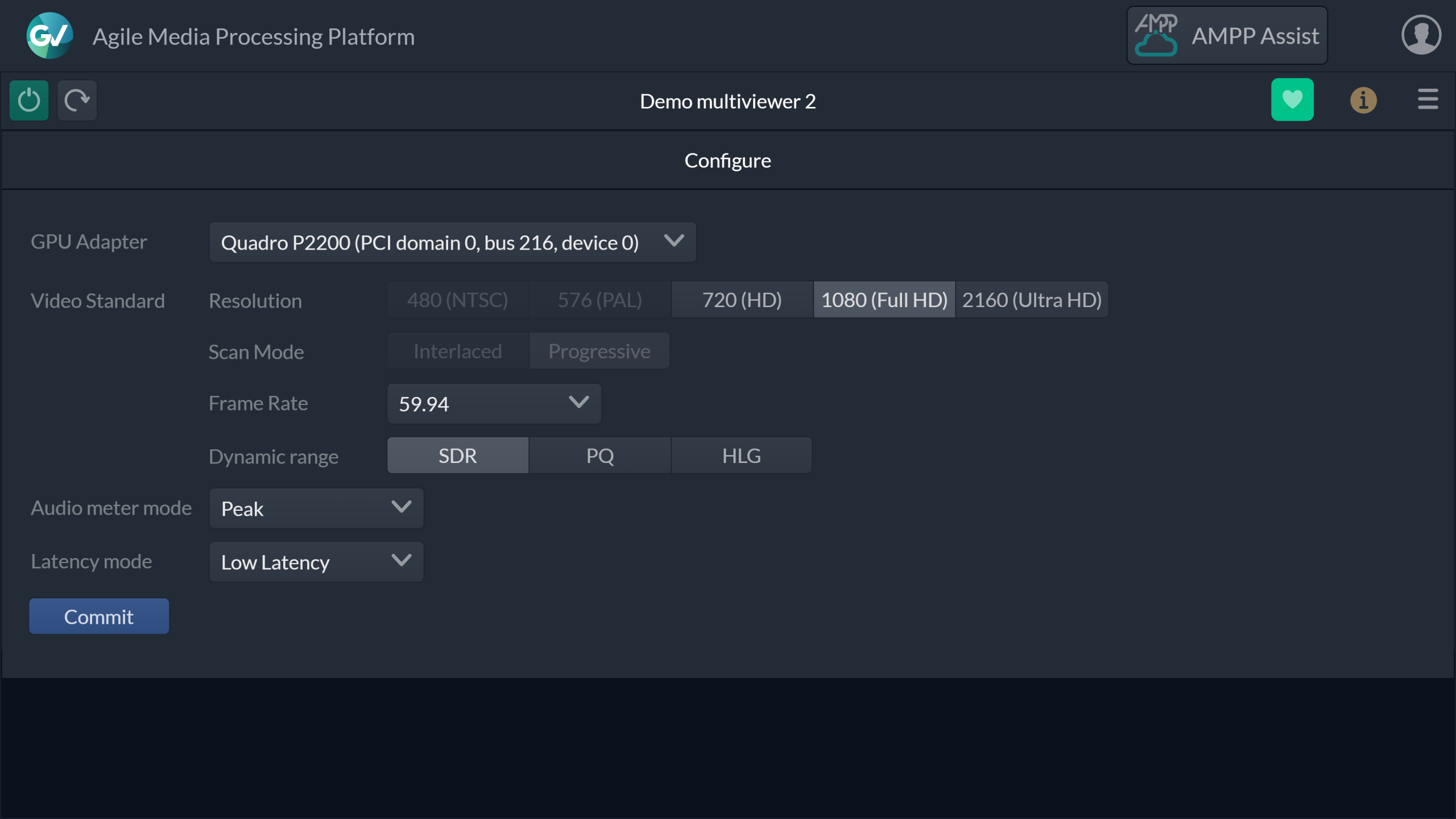
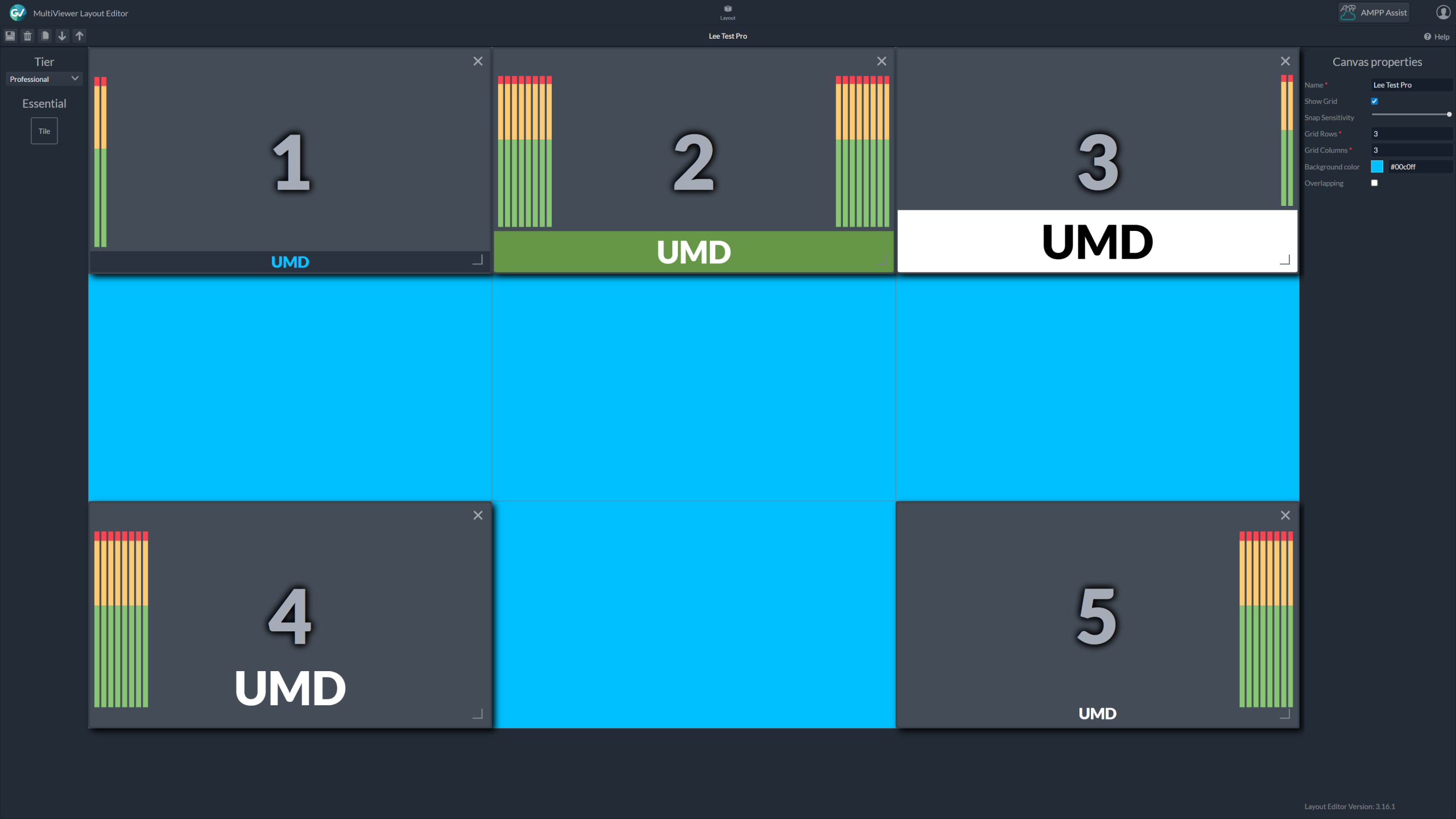
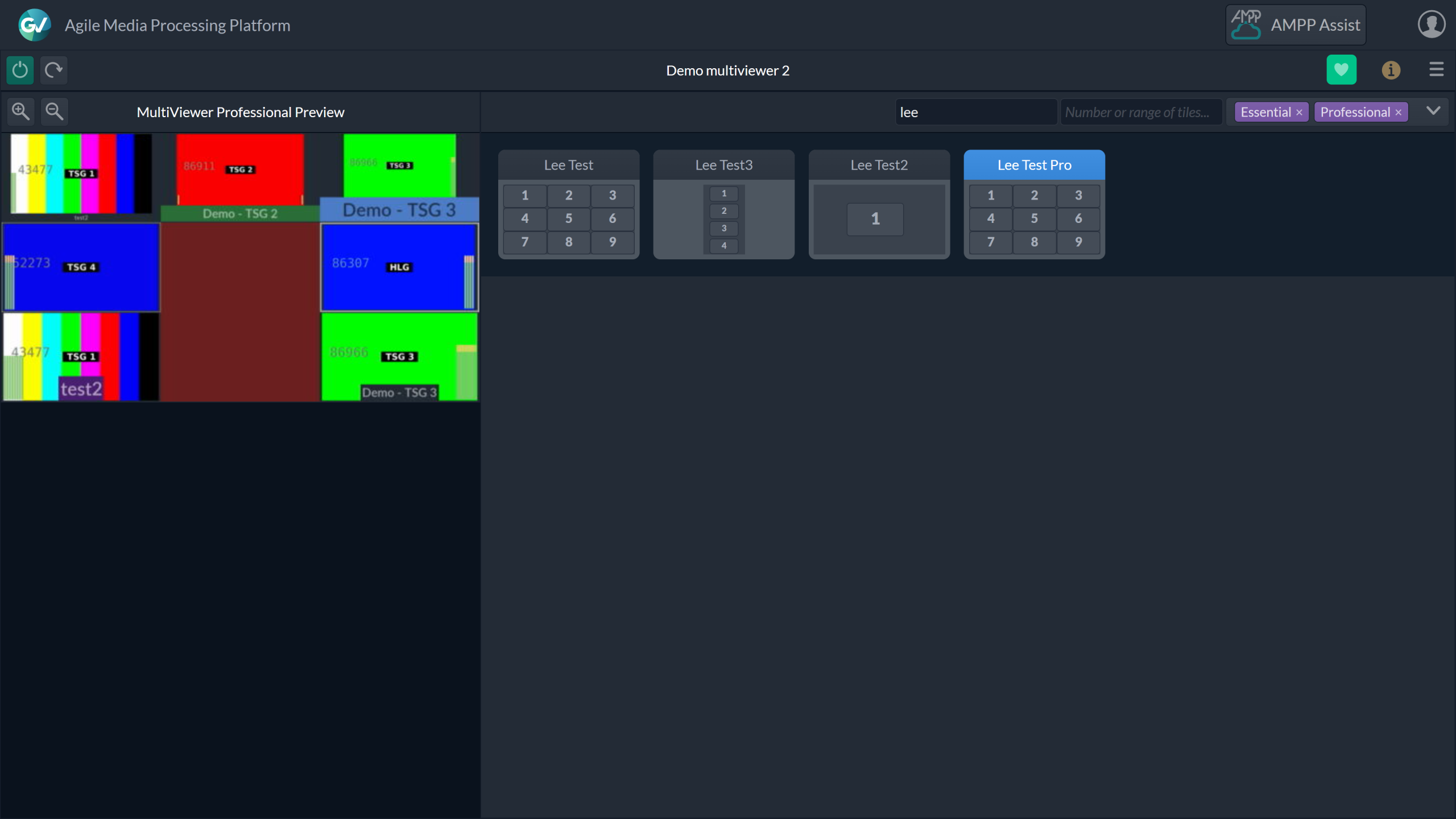
Kaleido-IP X is Grass Valley’s IP-native, AMPP OS-based multiviewer family, giving you instant visual confidence across every feed in your operation. Choose Essential for streamlined, reliable monitoring that’s quick to deploy and simple to use, or Professional for everything in Essential plus advanced customization, probing, and control for high-stakes environments.
With both versions available in multiple PiP configurations, you can match your needs precisely. Kaleido-IP X integrates seamlessly into GV’s Media Universe, so you can route, customize, and monitor with agility, keeping your content flawless from production to playout.
Kaleido-IP X Essential delivers the core capabilities of IP-native multiviewing in an easy-to-use package. By showing SDI, ST 2110, and compressed IP sources together in one view, operators gain unmatched situational awareness. With flexible PiP options, editable UMDs, tally indicators, and simple source selection, Essential ensures you can see and respond to every detail quickly and confidently.
Kaleido-IP X Professional includes everything in Essential and adds advanced customization, configurable audiometers, and intelligent real-time probing for black, freeze, and audio loss. Designed for high-pressure environments, it allows teams to tailor monitoring layouts exactly to their workflow and react instantly to potential issues. Professional evolves with your needs, ensuring readiness for the next production challenge.
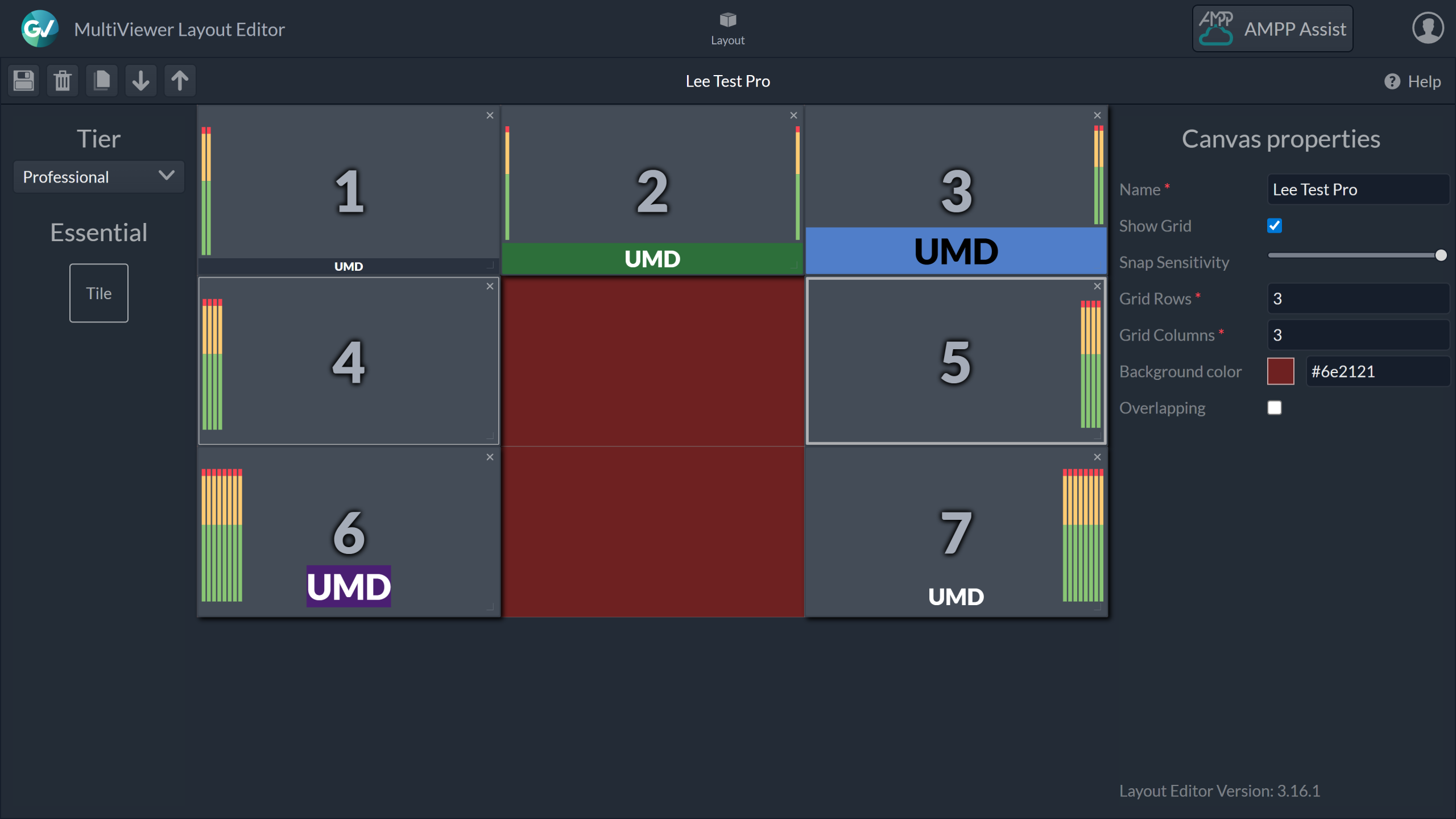
Fully integrated with AMPP OS, Kaleido-IP X connects directly with Grass Valley’s automation and control applications for a unified operational environment. This tight integration eliminates workflow barriers, supports local and global deployments, and ensures that your monitoring keeps pace with the speed of live production.
Essential for streamlined monitoring, Professional for advanced customization and probing.
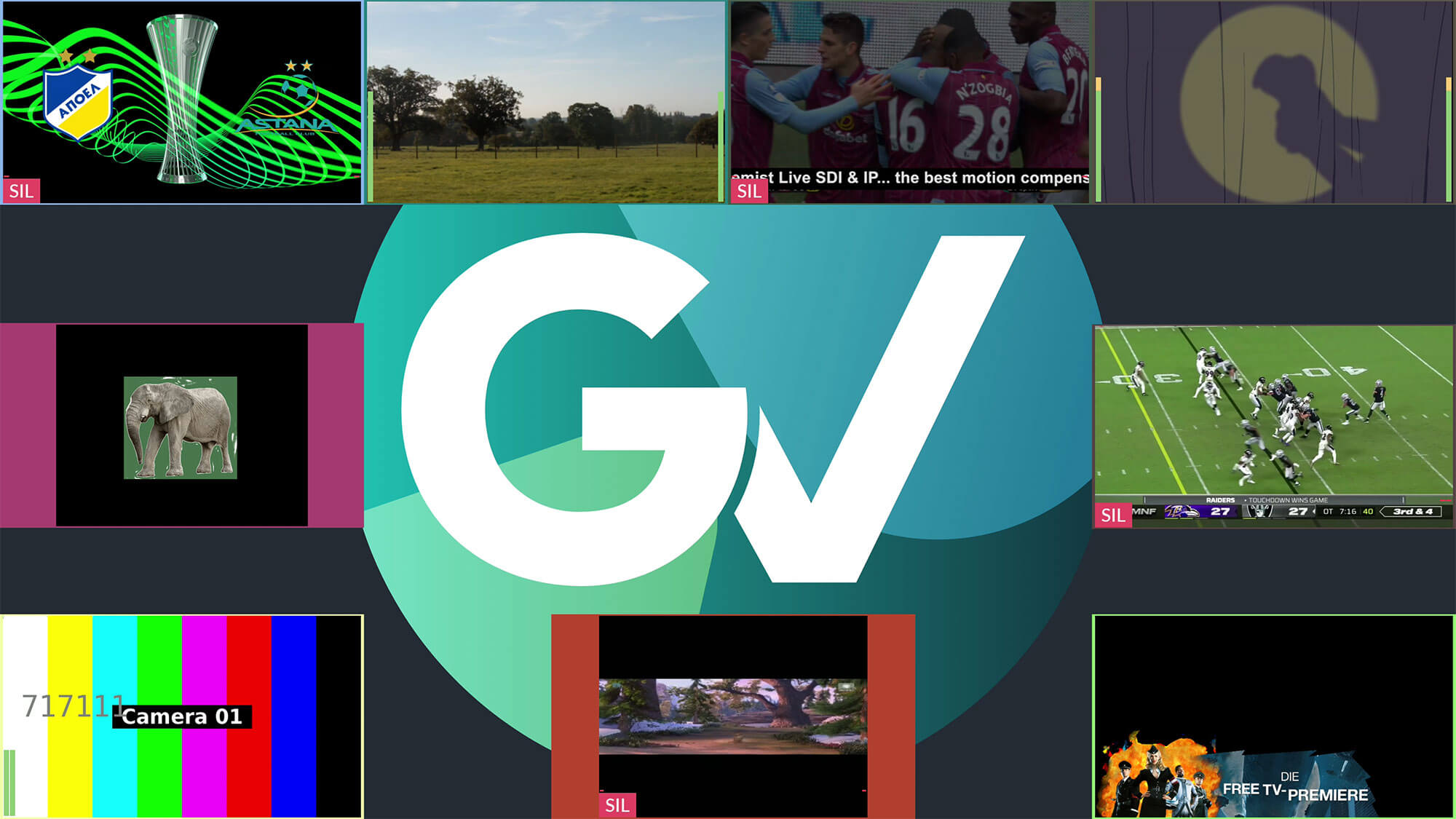
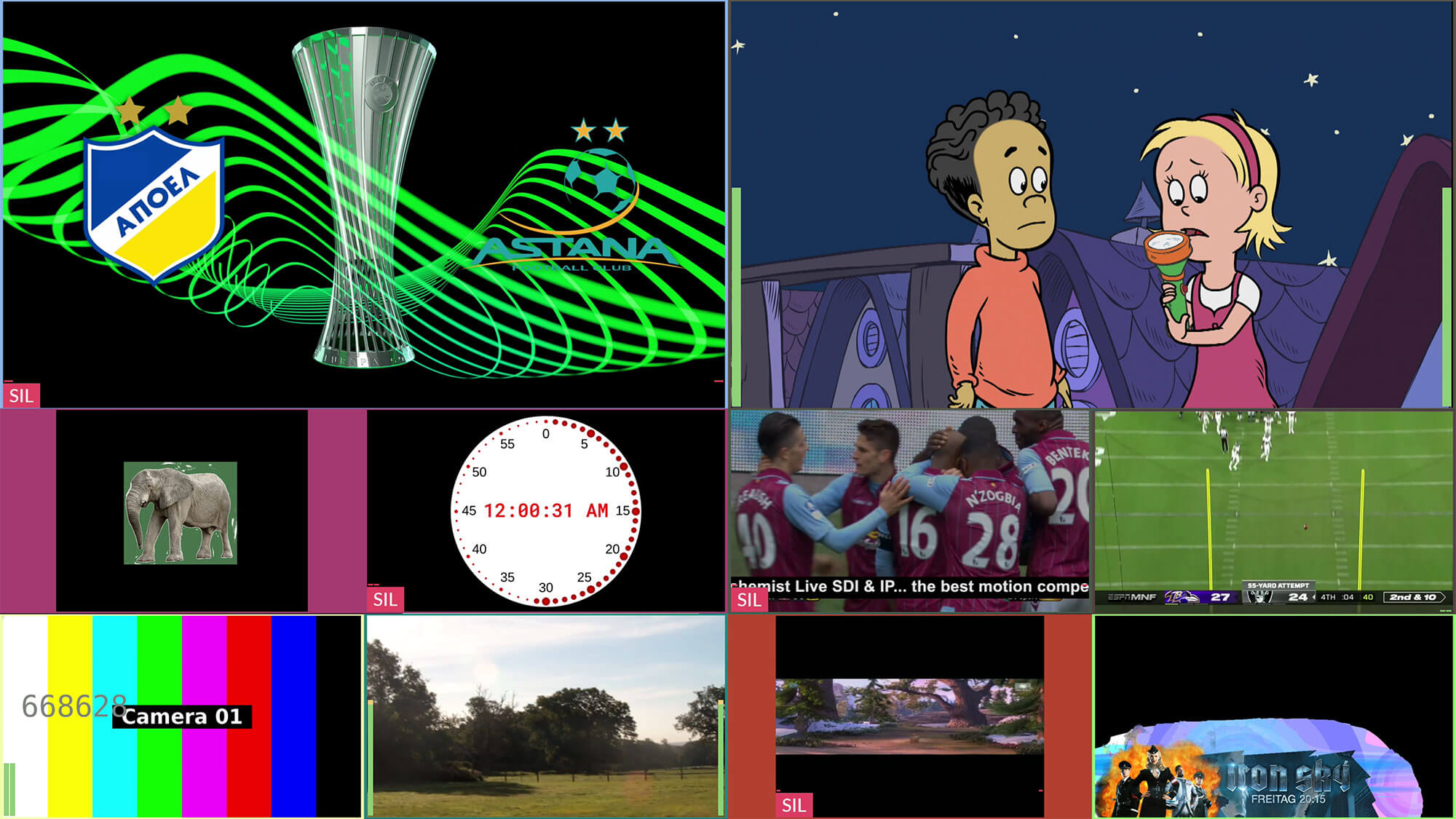
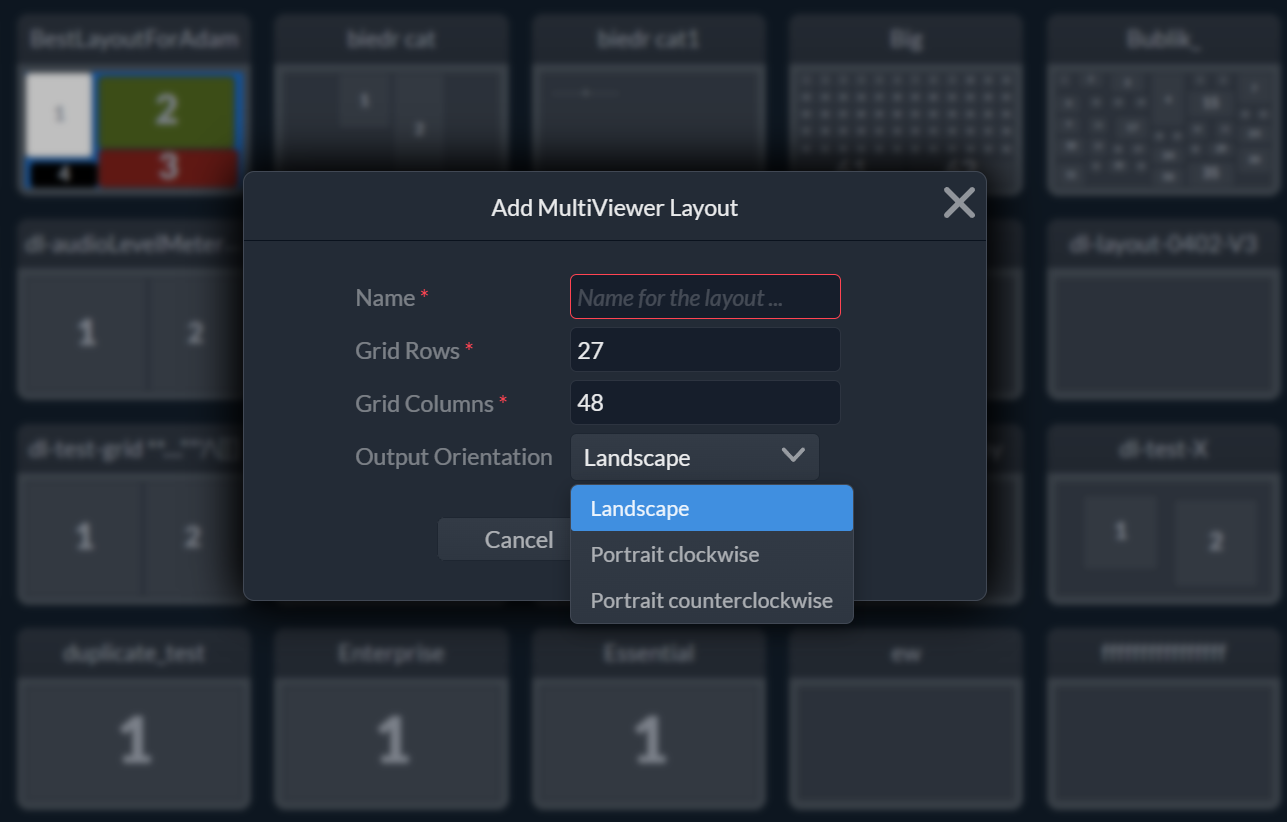
Choose from 4, 9, 16, 24, or 48 tiles to match your operational needs.
Output in portrait or landscape for any monitoring environment.
Detect black, freeze, and audio loss before it impacts your content.
Display exactly the information you need, how you want it.
View SDI, ST 2110, and compressed formats together in one layout.


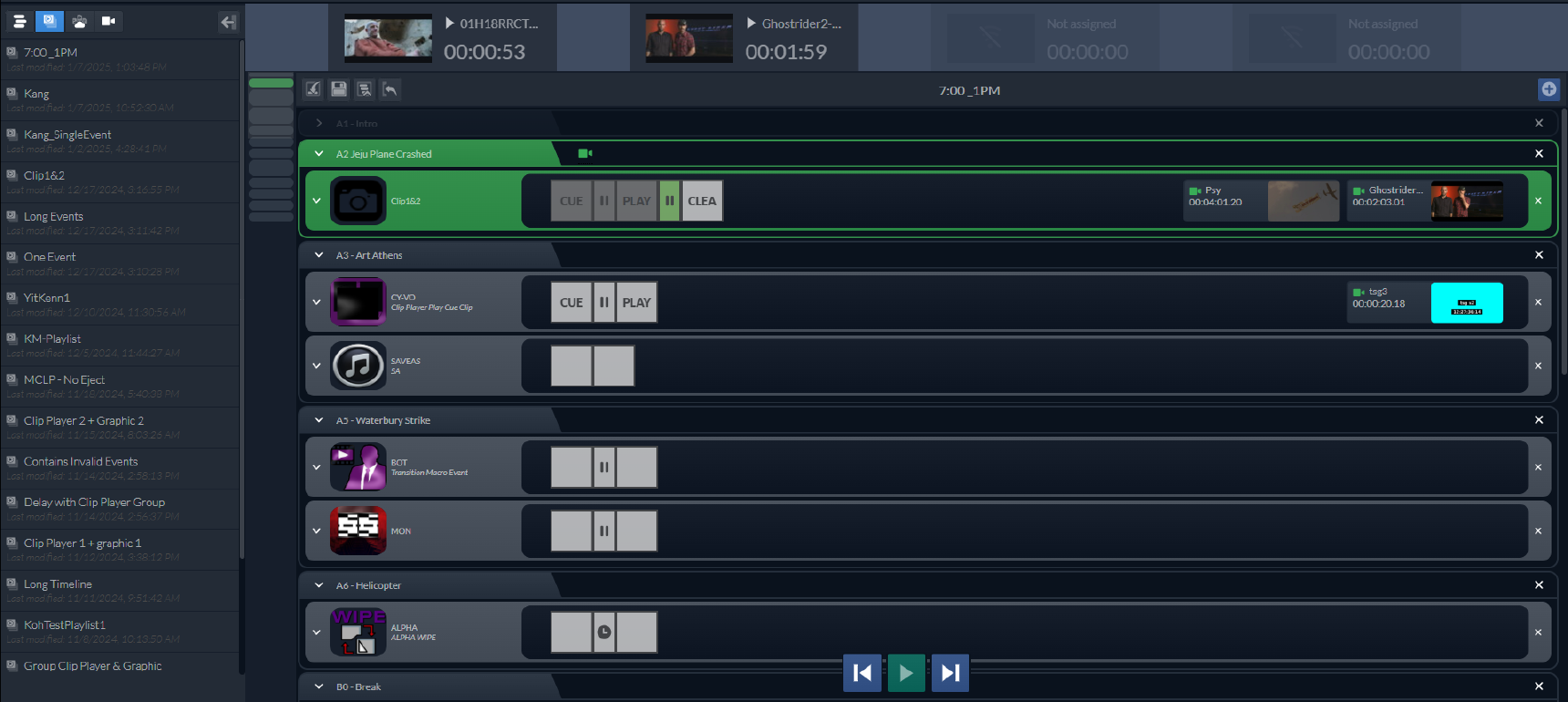
AMPP Automation brings speed, consistency, and creative flexibility to modern media operations. Built on AMPP OS, it allows teams to design, schedule, and execute automated events with full control across switching, audio, graphics, and more. Whether you're producing news, sports, or live events, AMPP Automation helps you deliver more, faster - without sacrificing quality.
Unlike legacy systems, AMPP Automation embraces dynamic workflows. Whether you’re working on-prem, in the cloud, or in hybrid environments, it adapts seamlessly—bringing orchestration to any production setup without locking you into rigid processes.

From single-operator shows to full broadcast operations, AMPP Automation lets your team build once and scale infinitely. Visual tools like Automation Builder and Automation Scheduler empower operators to create and control complex rundowns with ease—no coding required.

AMPP Automation eliminates repetitive tasks and manual interventions, allowing your team to focus on creativity and content. Whether you're managing a fast-paced newsroom or a live event, automation sequences ensure consistent, accurate execution every time.
From single-operator streams to complex multi-location broadcasts, AMPP Automation grows with you. Its modular design and cloud-native foundation make it easy to expand, adapt, and align with your evolving production needs—without overhauling your workflow.
With intuitive visual tools like Automation Builder and Automation Scheduler, even complex production sequences become simple to create, test, and execute. Built-in simulation modes give you confidence before going live, while seamless integration ensures everything just works.
Build production sequences with drag-and-drop commands, timelines, pauses, and operator cues—recorded live or crafted from scratch.
Organize Events into story-driven Playlists—manually or via MOS-connected newsroom systems—for seamless rundown management.
Execute Playlists in real time with intuitive controls and real-time feedback, ensuring flawless delivery every time.
Capture live production actions and instantly turn them into repeatable event timelines—accelerating automation setup.
Drop automation Events directly into your asset management interface—bridging planning and execution in a single workflow.
Deploy in cloud, on-prem, or hybrid models—with support for up to 1000 concurrent events, integrated control, and secure infrastructure options.

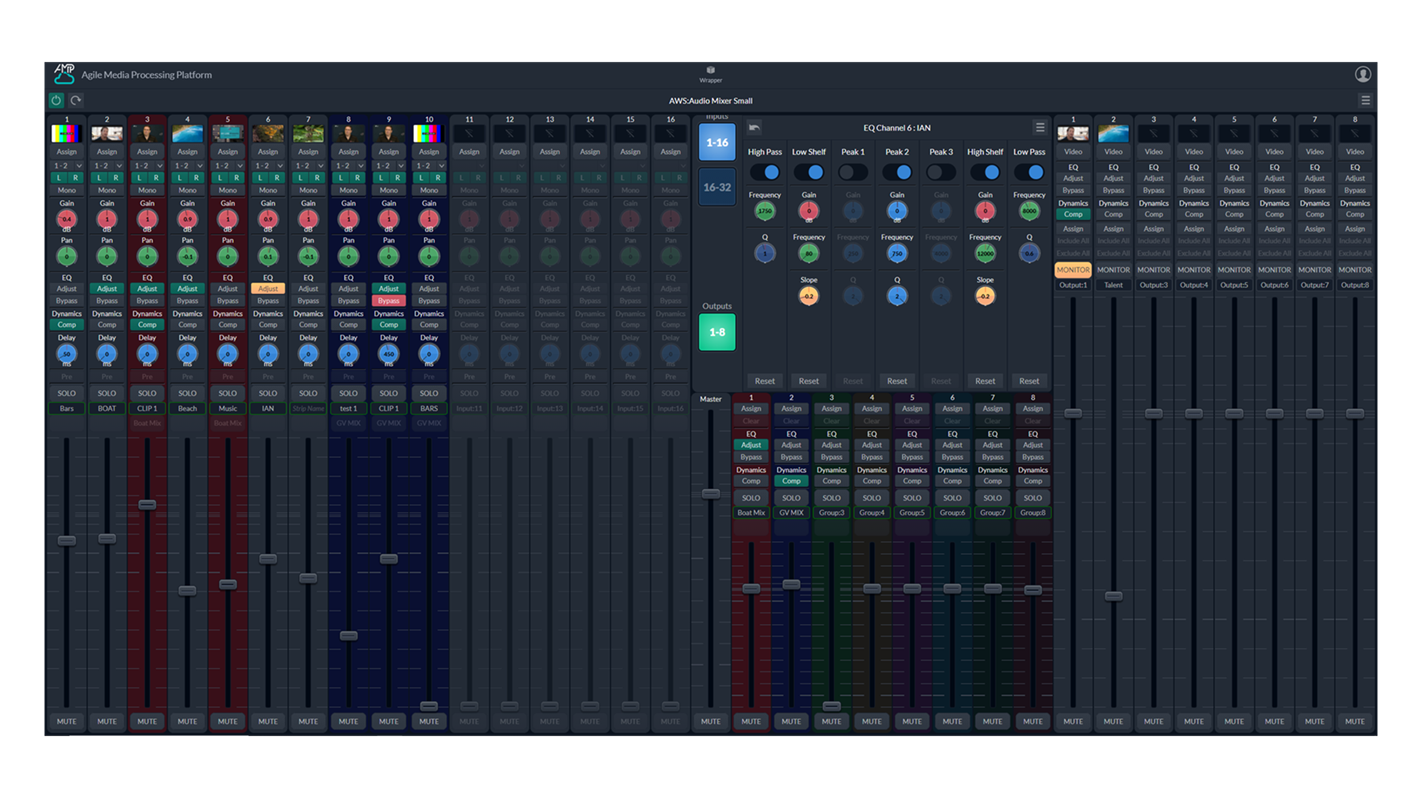
Audio Mix X, part of Grass Valley's AMPP platform, is a high-performance audio solution designed for cloud-based live media production. It empowers broadcasters and content creators with flexible, scalable, and efficient workflows, enabling seamless collaboration and high-quality audio mixing from anywhere.
Audio Mix X enables production teams to collaborate effortlessly from any location, thanks to its cloud-based infrastructure. This ensures that live media production is no longer constrained by physical boundaries, fostering creativity and efficiency in real-time.

Built on the AMPP platform, Audio Mix X offers unparalleled scalability and flexibility, allowing users to adapt their workflows to meet the demands of any production size or complexity. This ensures a future-proof solution for evolving media production needs.
Audio Mix X provides a robust solution for live media production, leveraging the cloud to deliver high-quality audio mixing capabilities from anywhere
As part of the AMPP platform, Audio Mix X integrates seamlessly with other AMPP applications, such as multiviewers, clip players, and switchers, creating a unified production environment
The platform focuses on simplifying workflows, enabling faster production processes while maintaining creative freedom and high-quality output

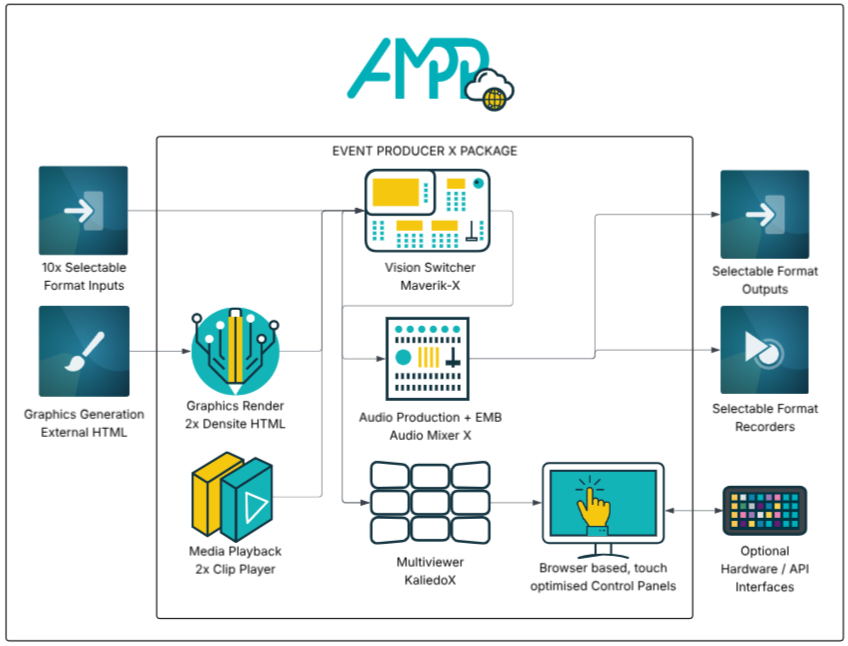
Grass Valley’s Event Producer X revolutionizes event production by enabling a single operator to create professional, broadcast-quality events from anywhere using just a web browser. This innovative solution significantly reduces production costs, making high-quality storytelling accessible for events that might otherwise go unnoticed.
At its core, Event Producer X features the powerful Maverik X Production Switcher, which ensures seamless transitions and a rich array of effects. With complete control over graphics, editing, and audio, it transforms live event coverage, enhancing the accessibility of real-time storytelling in a streamlined, all-in-one production system.

Event Producer X enhances live production by streamlining workflows, making it easier for operators to manage events efficiently.
The platform offers integrated graphics, editing, and audio control, equipping operators with everything needed to create dynamic and engaging content in real time.
Featuring the Maverik X Production Switcher, Event Producer X ensures smooth transitions and a rich suite of effects, allowing for creative flexibility without sacrificing speed or reliability.
Grass Valley’s Event Producer X redefines efficiency in live event production by offering a streamlined, browser-based solution that eliminates the need for complex setups and large production teams. This innovation empowers single operators to deliver professional, broadcast-quality productions from virtually anywhere, significantly reducing costs while maintaining exceptional quality. By making high-end production tools more accessible, Event Producer X enables organizations to elevate their storytelling, even for smaller-scale events that might otherwise lack the resources for polished coverage.
Produce live events from anywhere with just a web browser, eliminating the need for on-site setups.
Streamlined design allows one person to manage the entire production process, reducing staffing requirements.
Seamlessly control graphics, video editing, and audio for a polished, professional output.
Delivers smooth transitions and a wide range of effects for creative flexibility.
Reduces production costs while maintaining broadcast-quality standards, making it ideal for smaller-scale events.
Enables dynamic, live event coverage with intuitive tools for immediate adjustments and enhancements.
Recent awards for Event Producer X



Grass Valley’s Sports Producer X, powered by the AMPP ecosystem, is a gesture-based, cloud-native production platform that empowers a single operator to manage an entire sports broadcast from anywhere. With real-time replay, dynamic graphics, and an intuitive interface, it streamlines workflows, reduces production costs, and delivers high-quality, immersive content.
Accessible from any internet-connected device, Sports Producer X unifies all key workflow elements into a low-latency interface, ensuring agility, connectivity, and seamless collaboration for production teams worldwide.

Thanks to AMPP’s browser-based access, Sports Producer X can be operated from any internet-connected device, enabling production teams to manage broadcasts from any location. Whether on-site or remote, a single operator can control every aspect of the broadcast with minimal latency, making it ideal for fast-paced sports events. This global accessibility allows production teams to stay connected, providing real-time control that keeps fans engaged no matter where they’re watching.
Operates within the Grass Valley AMPP ecosystem, consolidating all elements of the sports production workflow into one intuitive platform.
AMPP’s robust flexibility allows for the seamless integration of graphics, replays, and live controls, all accessible through a single, user-friendly interface.
This comprehensive integration enables a single operator to manage high-quality production tasks efficiently, reducing complexity and minimizing the need for multiple crew members.
With Sports Producer X, the power to create professional-grade sports content is accessible to organizations of any size. The platform’s integration within AMPP means that complex tasks like replays, graphics, and live storytelling can all be managed at a fraction of the traditional cost.
This streamlined, affordable solution brings high-quality sports coverage to more events, allowing sports leagues, schools, and smaller venues to deliver an engaging, visually compelling experience to their fans.
Gesture controls make it easy to manage complex actions with a simple point-and-click, streamlining production tasks.
Capture and share key moments instantly, allowing fans to re-experience the action just moments after it happens.
Operate Sport Producer X on any internet-connected device from anywhere in the world, with minimal latency.
Quickly add live scores, stats, and in-game data with gesture-based simplicity, creating an informative, engaging stream.
Perfect for events of any size, providing professional broadcast capabilities at an accessible price point.
Publish highlights and replays to social media, apps, and websites in real time, expanding fan engagement beyond the broadcast.
Recent awards for Sport Producer X


Developed by Telos Alliance and integrated into Grass Valley’s AMPP platform, Telos Infinity VIP delivers a fully cloud-native intercom solution tailored for live media production. In the fast-paced world of broadcasting, clear and timely communication is vital for smooth collaboration, quick problem-solving, and high-quality results. Infinity VIP empowers production teams with a robust intercom tool directly within their existing AMPP workflow, eliminating the need for separate systems and connections.
With a single, secure connection to AMPP, users can access intercom, playout, editing, and media management tools from any device with an HTML5 browser. This unified platform approach ensures coordination and functionality for teams working across locations, making Infinity VIP an essential asset for distributed productions requiring flexibility, responsiveness, and comprehensive control.

Infinity VIP by Telos Alliance allows production teams to access full intercom functionality from any web-enabled device, without the need for dedicated hardware. Secure HTML5 browser access provides real-time communication across diverse locations, supporting up to 48 configurable buttons on the VIP-16 panel for complex production needs.
This browser-based approach streamlines connectivity, making Infinity VIP ideal for teams working across dispersed locations.
Integrates smoothly with AMPP applications, allowing users to route intercom audio alongside production audio within the AMPP platform.
Facilitates embedding intercom feeds into live production workflows and supports mix-minus configurations for refined audio control.
Incorporating Infinity VIP into AMPP workflows enhances team communication, making it more cohesive and in-sync for streamlined operations.
Infinity VIP on AMPP features an Invitation Server for secure access management, allowing administrators to issue one-time passwords and unique URLs for controlled intercom access.
With options to instantly revoke access or terminate sessions, administrators maintain full oversight of user permissions, ensuring security across remote workflows. This feature aligns with AMPP’s security standards, enhancing confidence for production teams working from diverse locations.
Infinity VIP supports integration with traditional intercom setups through Telos Alliance’s Infinity Link, bridging on-premise intercom hardware with the AMPP cloud environment.
By utilizing four-wire interfaces, legacy audio systems can be incorporated into Infinity VIP’s interface, allowing teams to leverage both existing infrastructure and AMPP’s advanced cloud capabilities.
This flexibility makes Infinity VIP suitable for teams transitioning to cloud workflows without the need to replace current equipment, facilitating a smoother migration process.
Access virtual intercom from any device with up to 48 buttons, supporting flexible and comprehensive communication layouts.
Includes partylines, IFBs, and other group communication tools essential for complex workflows.
Routes intercom audio with AMPP applications, enabling embedded intercom within production workflows and mix-minus audio setups.
Manages secure, one-time-use passwords and unique URLs for intercom access, ensuring control over remote connections.
Integrates with legacy intercom hardware, providing four-wire connectivity and IP audio routing within the cloud-based AMPP environment.
Centralized billing and usage tracking make management simpler for teams using multiple AMPP applications.
